This blogpost is related to the "RSS XLINQ" post - but this time the result will be cooler ;).
About this post
This post is about the "MediaRSS" standard and how you can use it for your own website. If you have never heard of it - never mind. But maybe you have heard of a really cool Firefox Plugin called "PicLens".

"PicLens"?
"PicLens" is a incredible surface for some internet services, like YouTube, Google picture search, Flickr or Amazon:

This is the Amazon-Surface:

Media RSS
The Piclens guys have implemented the "MediaRSS" standard - that means: Each site with an MediaRSS can be viewed in Piclens.
If you are a webmaster, you should take a look at this site. We created in the last post an RSS feed with XLinq - MediaRSS shouldn´t be much harder to code:
XLINQ
We have the same project files - only the RSS generation must be changed:
        XNamespace media = "http://search.yahoo.com/mrss";
        XNamespace atom = "http://www.w3.org/2005/Atom";
        public void ProcessRequest(HttpContext context)
        {


            XDocument document = new XDocument(
                                    new XDeclaration("1.0", "utf-8", "yes"),
                                    new XElement("rss",
                                        new XAttribute("version", "2.0"),
                                        new XAttribute(XNamespace.Xmlns + "media", media),
                                        new XAttribute(XNamespace.Xmlns + "atom", atom),
                                        new XElement("channel", this.CreateElements())
                                       ));

            context.Response.ContentType = "text/xml";
            document.Save(context.Response.Output);
            context.Response.End();
        }

        private IEnumerable<XElement> CreateElements()
        {
            List<XElement> list = new List<XElement>();

            for(int i = 1; i < 100; i++)
            {
                XElement itemElement = new XElement("item",
                                            new XElement("title", i),
                                            new XElement("link", "Code-Inside.de"),
                                            new XElement(media + "thumbnail",
                                                new XAttribute("url", "https://blog.codeinside.eu/assets/wp-images-de/image-thumb" + i + ".png")),
                                            new XElement(media + "content",
                                                new XAttribute("url", "https://blog.codeinside.eu/assets/wp-images-de/image-thumb" + i + ".png"))
                                       );
                list.Add(itemElement);
            }

            return list;
        }
This time we need 2 XNamespaces - "media" and "atom" are need to create a valid MediaRSS:
<?xml version="1.0" encoding="utf-8" standalone="yes"?>
<rss version="2.0" xmlns:media="http://search.yahoo.com/mrss" xmlns:atom="http://www.w3.org/2005/Atom">
...
</rss>
These namespaces must be added by using the XAttribute class. The syntax is in my point of view a bit to complex, but I didn´t find a better way.
The source code above is everything you need to create a "simple" MediaRSS - there are some other elements supported by piclens - look at the Guide for more information.
Result:
We created the RSS auto-detection in the last blogpost. Piclens can now find the MediaRSS elements and show us the pictures on the "Wall" (the Piclens-Button glow if it find a MediaRSS Feed on the site) :

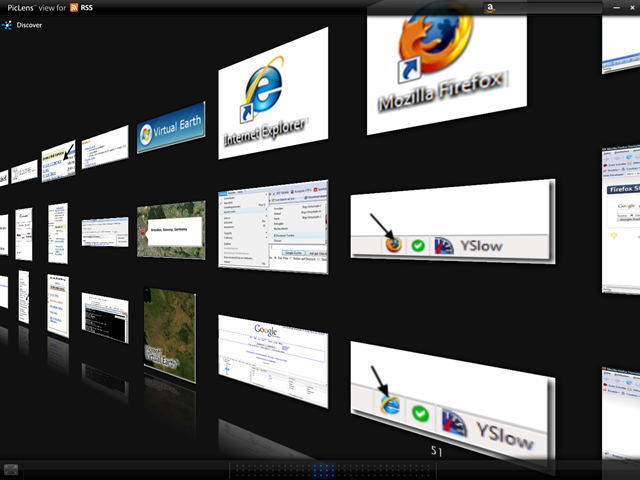
If you have several pictures on your site - publish a MediaRSS Feed. It´s very easy and it´s an open standard (Specification @ Yahoo) - Piclens is just one MediaRSS Client (but today the client with the best surface).
PS: I use my german blog as the picture source - please don´t abuse this example (traffic :( ) ;)